
Cryptan Desktop
file encryption and decryption service
supporting post-quantum cryptography (PQC)
No file size limits!
Safe and easy to use
Software for Windows.
*Registration as a “Development Supporter” is required to use some features.
ABOUT
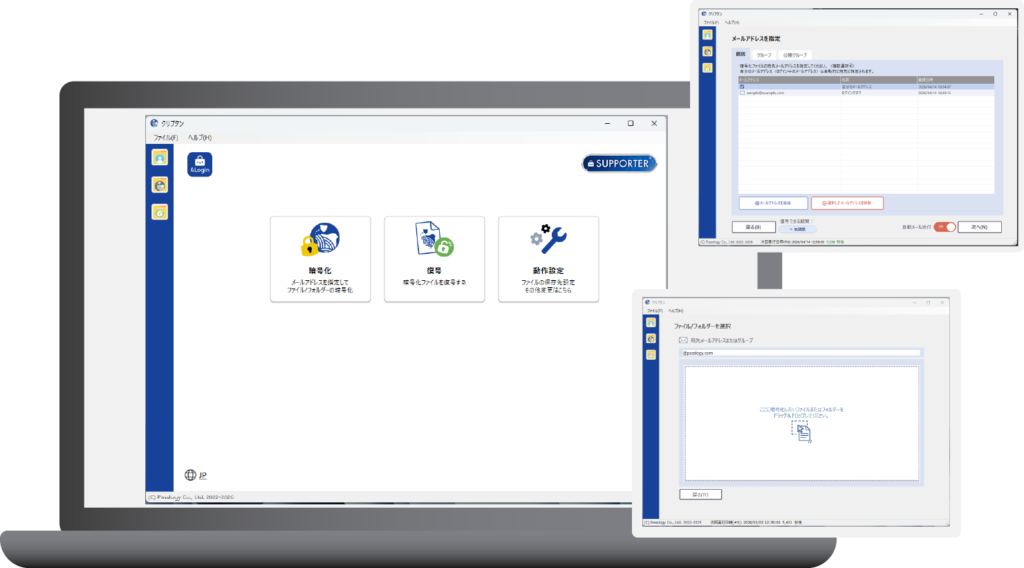
Cryptan Desktop is ready-to-use encryption software for Windows.
Thanks to local processing, it quickly encrypts even large files over 30MB.
It also features an automatic email attachment function, ensuring secure and convenient operation.
No Size Limit
It can encrypt and decrypt files larger than 30MB.
Processing is completed in a short time
Since encryption is performed on the local PC, processing is completed quickly.
Virus Check Feature
A virus scan is performed when decrypting encrypted files.
PQC (Quantum Quantum Cryptography) support
In addition to its ease of use—no password required—it can also be used to securely store important files with PQC (post-quantum cryptography) support.
4Login Dev Supporters
Basic Information
| Service Type | Windows software |
|---|---|
| Price | Free to use (Some features require registration as a “Development Supporter.”) |
| Sign up for the “ 4Login ” smartphone app | Required |
| Installation of the Cryptan Software | Required |
| Log in to the website | Required *Login required to start using the service |
| Sending and receiving files to/from the server | n/a |
| Supported Languages | Japanese / English |
Recommended System Requirements
| System Requirements | Windows 11 24H2 or later (Build 26100+) Windows Server 2025 or later |
|---|---|
| “4Login” Smartphone App | Android: Android 8 or later iPhone: iOS 16 or later * Please use the latest version of the 4Login App |
Encryption/Decryption Process
Encryption
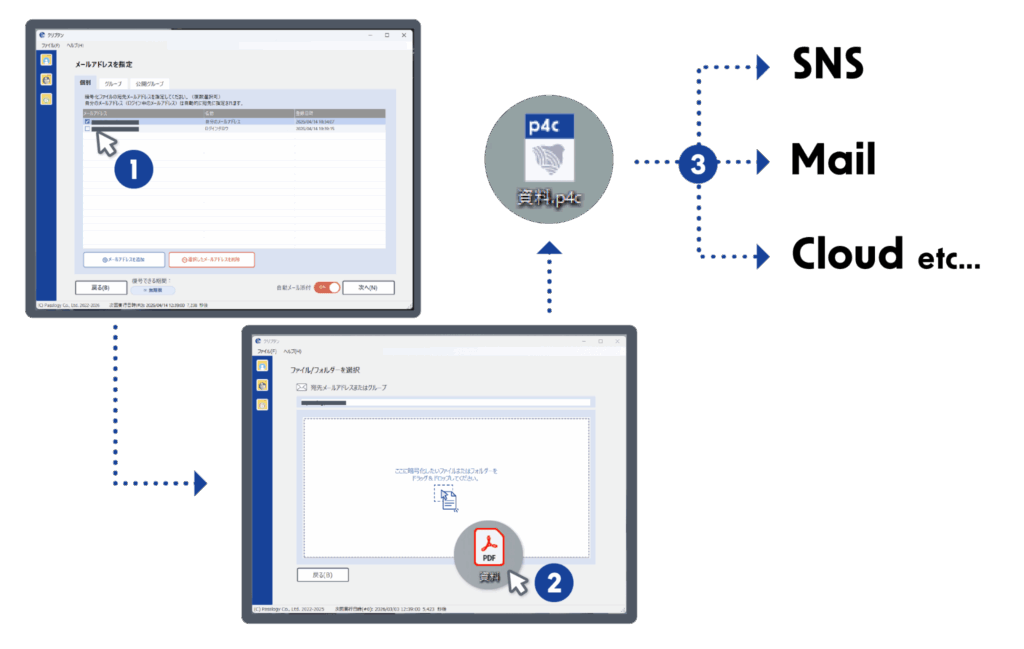
- Specify the recipient’s email address in Cryptan Desktop.
- Drag the target file onto the “Cryptan” screen to create an encrypted file.
You do not need to set a password at this time. - Send the encrypted file to the recipient using your preferred method.
Decryption
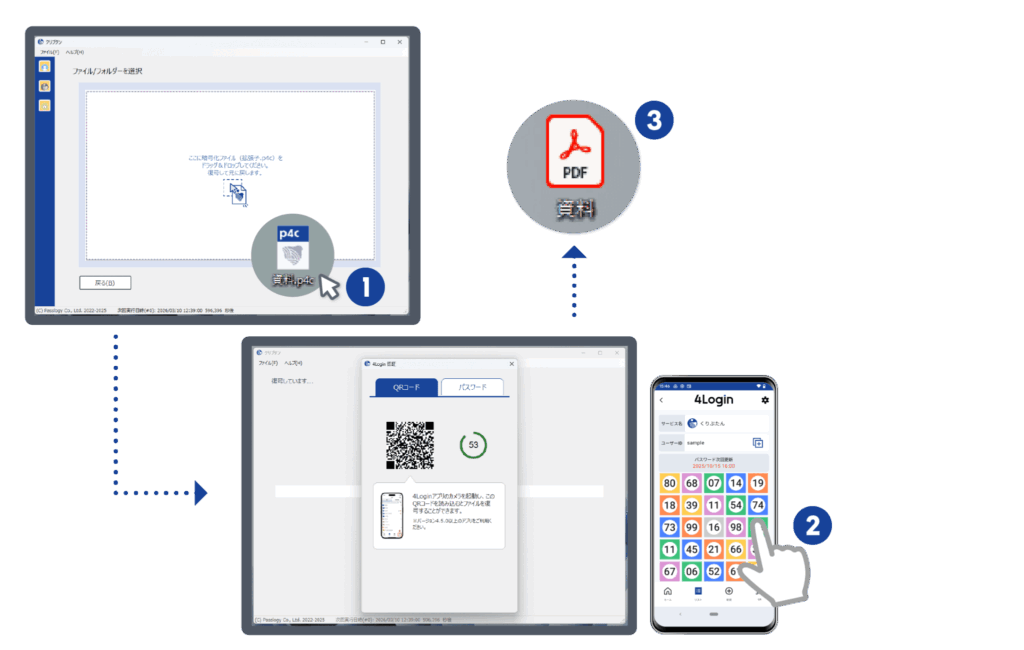
- When you drag the encrypted file onto the Cryptan screen, the authentication screen will open.
- Use 4Login to perform 4Login authentication using your preferred method (tapping the pattern or entering your password).
- Decrypt and save the file.