
Cryptan Web
No installation required
Easily accessible via your browser
A web service for encryption and decryption
that supports post-quantum cryptography (PQC)
*Registration as a “Development Supporter” is required to use some features.
ABOUT
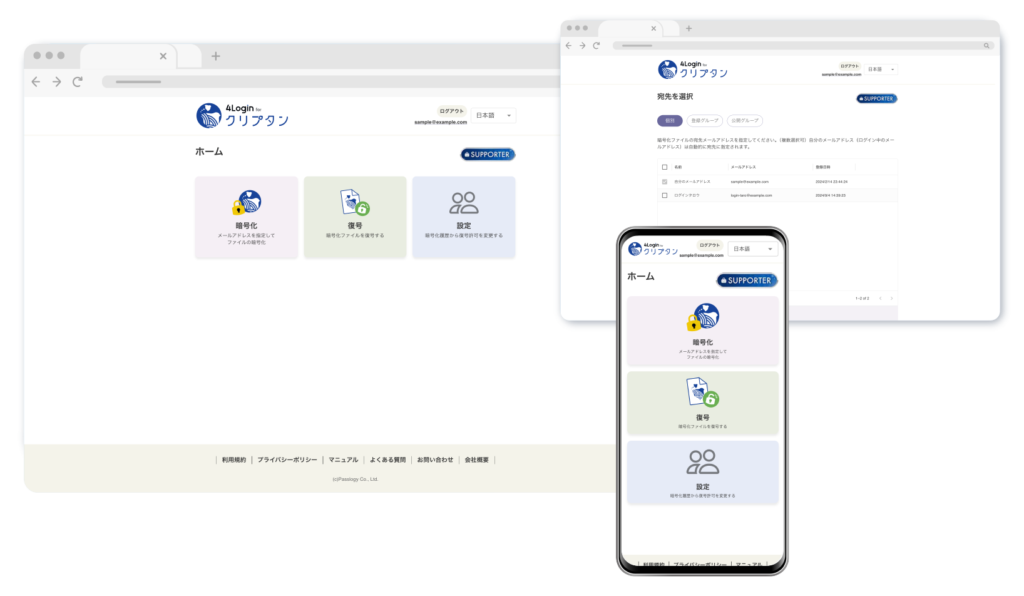
Cryptan Web is an encryption and decryption service that can be easily used directly from your browser without any installation.
Even in environments where installing software is difficult, you can easily create and decrypt encrypted files. This service is ideal for first-time users of encryption.
No Installation Required
You can easily encrypt and decrypt files directly from your browser.
Prohibit Decryption After Encrypted File Sharing
After sharing an encrypted file, you can prohibit decryption of that specific file.
Creating Decryption Allow/Block Lists
You can specify which users are allowed or denied decryption access to the encrypted files you create.
4Login Dev Supporters
PQC (Quantum Quantum Cryptography) support
In addition to its ease of use—no password required—it can also be used to securely store important files with PQC (post-quantum cryptography) support.
4Login Dev Supporters
Basic Information
| Service Type | Web Service |
|---|---|
| Price | Free to use (Some features require registration as a “Development Supporter.”) |
| Sign up for the “ 4Login ” smartphone app | Required |
| Installation of the Cryptan Software | Not required |
| Log in to the website | Required |
| Sending and receiving files to/from the server | Yes |
| Supported Languages | Japanese / English |
Recommended System Requirements
| OS | Browser |
|---|---|
| Windows 10/11 | Google Chrome Microsoft Edge |
| macOS | Google Chrome Safari |
| “4Login” Smartphone App | Android:Android 8 or later iPhone:iOS 16 or later * Please use the latest version of the 4Login App |
|---|
Encryption/Decryption Process
Encryption
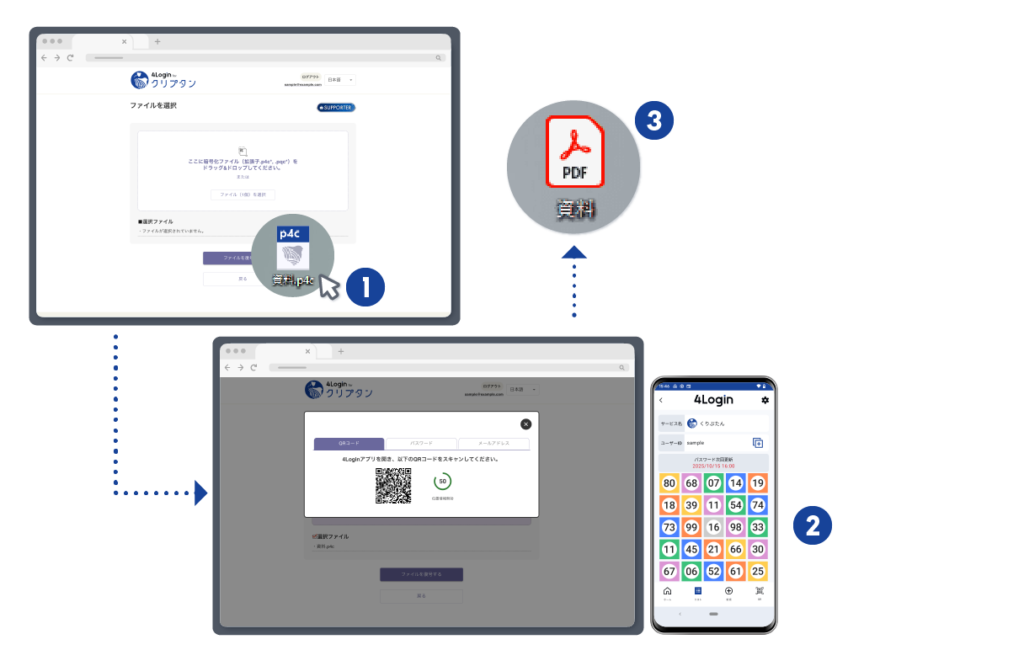
- Log in to Cryptan Web, drag the file you want to encrypt onto the Cryptan screen, and the authentication screen will open.
- Use 4Login via your preferred method (scanning a QR code or entering a pattern password).
- Encrypt and save the file.
Decryption
- Log in to Cryptan Web and drag the encrypted file onto the Cryptan screen to open the authentication screen.
- Use 4Login to perform 4Login authentication using your preferred method (tapping the pattern or entering your password).
- Decrypt and save the file.